Free classroom seating chart maker: random seats that follow your rules
Paste your class list, say who must sit apart, who works well together and who needs the front row, and get a seating chart in a second. Shuffle for a fresh chart whenever you like, swap any two desks by hand, then print it or put it on the board. Free, no sign-up, and your students’ names never leave your browser.
Make your classroom seating chart
Click a desk, then another, to swap them.
How the classroom seating chart generator works
- Paste your class list. One student per line, straight from a spreadsheet or your grade book. Add an asterisk (*) after anyone who needs the front row.
- Add your rules. Under “Keep apart”, list students who shouldn’t sit next to each other, one pair per line, such as “Noah & Elijah”. Under “Seat together”, list pairs who work well side by side. Put three or more names on one line to keep a whole group apart.
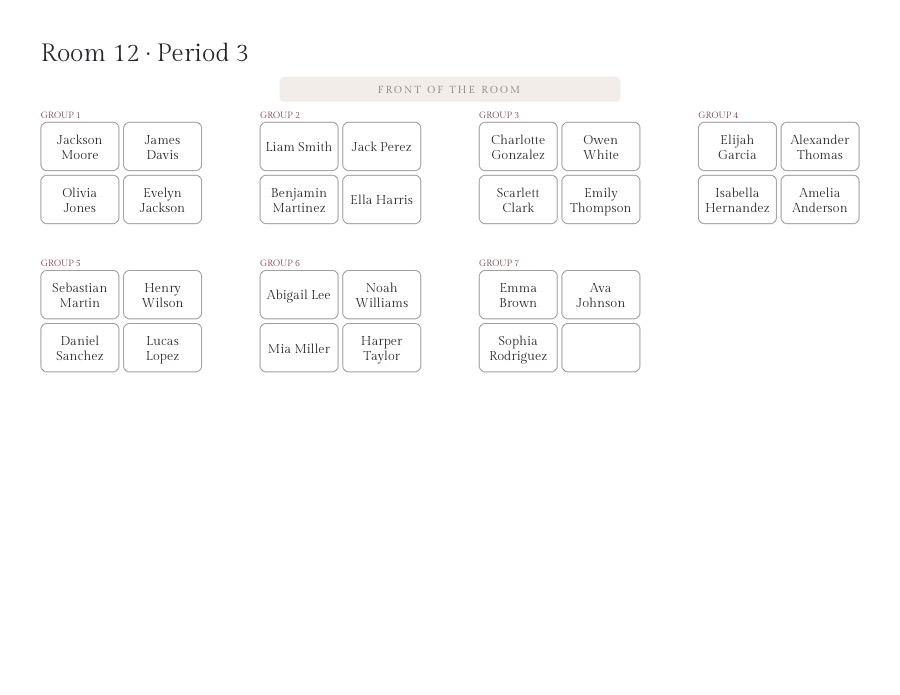
- Set up your room: rows of single desks, or groups (pods) of 2 to 8. Use groups of 2 for pairs. Not sure which? See 9 classroom seating arrangements.
- Shuffle. Every press gives a new random chart that keeps your rules. If a rule can’t be kept, the note says which one, and those desks turn red.
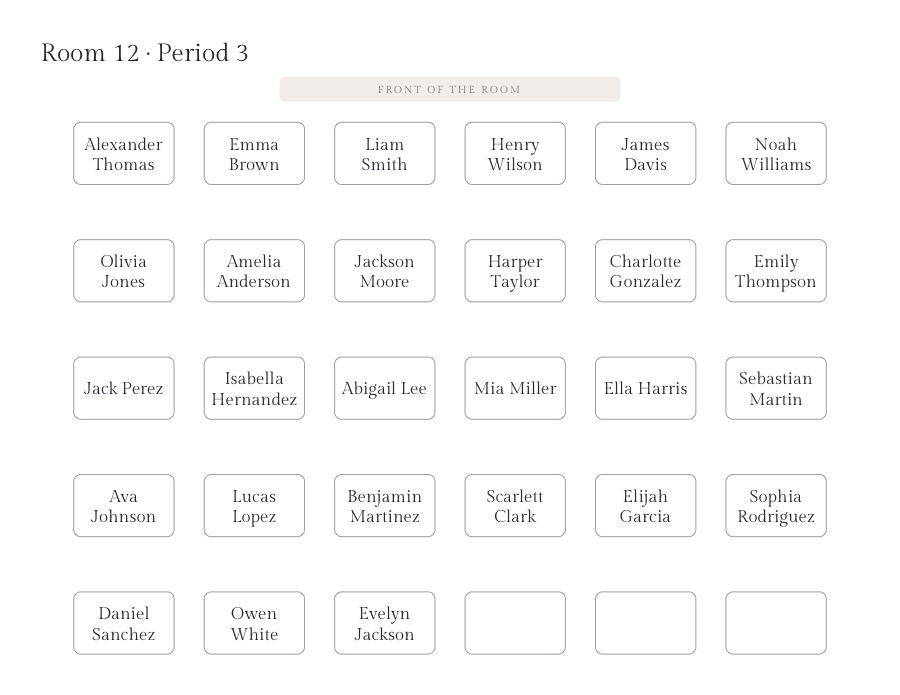
- Fine-tune and print. Click two desks to swap them, then download a one-page PDF in landscape, on Letter or A4.
Seating rules for real classrooms
- Keep apart: in rows, students kept apart are not seated at neighboring desks: not side by side, not one behind the other and not diagonally. In groups, they are not put in the same group. If the room is too tight, the note says which rule couldn’t be kept.
- Seat together: study buddies, a student and a peer helper, or an English learner and a bilingual classmate end up at neighboring desks or in the same group.
- Front row: students marked with * always sit in the front row, for vision or hearing needs and for IEP and 504 plan accommodations.
- Everything else is random, so a fresh chart each week or each unit mixes the class without you redrawing it by hand.
Classroom seating chart templates: rows, groups and pairs
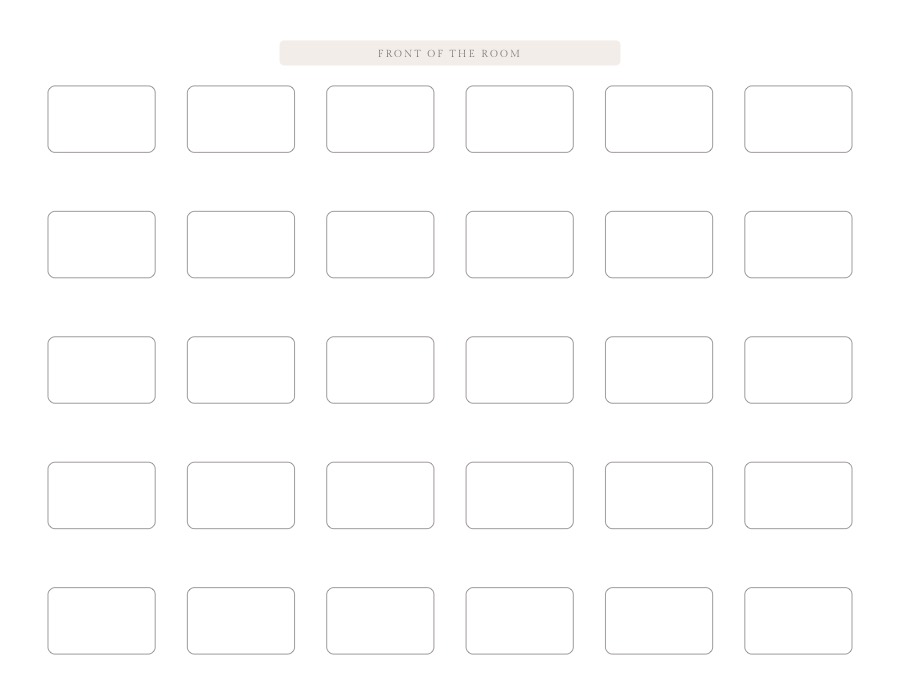
Each printout is one landscape page with the front of the room marked, so anyone covering your class can find every student. Leave the class list empty to print a blank classroom seating chart template and fill it in by hand.
Your students’ names stay on your computer
There is no account and nothing to install. The chart and the PDF are made in your browser, and the class list is saved only on this device so it is still there next time. Student names are never sent to our server.
Classroom seating chart questions
Is the classroom seating chart maker free?
Yes. Making, shuffling and printing charts is free, with no account and no limit on how often you shuffle.
Where are my students’ names stored?
Only in your browser, on this device. The chart and the PDF are made on your computer and the names are never sent to our server.
What does “keep apart” mean?
In rows, two students kept apart are not seated at neighboring desks: not side by side, not one behind the other and not diagonally. In groups, they are not put in the same group. If the room is too tight to keep every rule, the note says which one couldn’t be kept and those desks turn red.
How do I seat a student at the front?
Add an asterisk after the name in the class list, for example “Liam Smith *”. The student is always seated in the front row, for vision, hearing or IEP and 504 plan accommodations.
Can I print a blank classroom seating chart template?
Yes. Leave the class list empty, choose rows or groups, and download the PDF: every desk prints empty, ready to fill in by hand.
How many students can a chart hold?
Up to 80 students and 100 desks in all: for example 10 rows of 10, or 25 groups of 4. Rows can have up to 12 desks and groups up to 8.
Planning a wedding or an event with round tables? Try the seating chart maker →